Use the Style and review step to change the appearance of your CV without retyping the content. Start with a simple layout and make small adjustments while checking the preview.
A draft with your details already entered. A mostly empty CV is harder to judge for spacing.
How do I choose a readable CV style for a Timor-Leste job application?
Open Style and review. When leaving Add content, you may first see an optional AI review prompt. Choose Review with AI to consider suggestions, or Continue without AI to go straight to styling. Your selected template is already applied; changes to the design keep your content.
1Change the template if needed
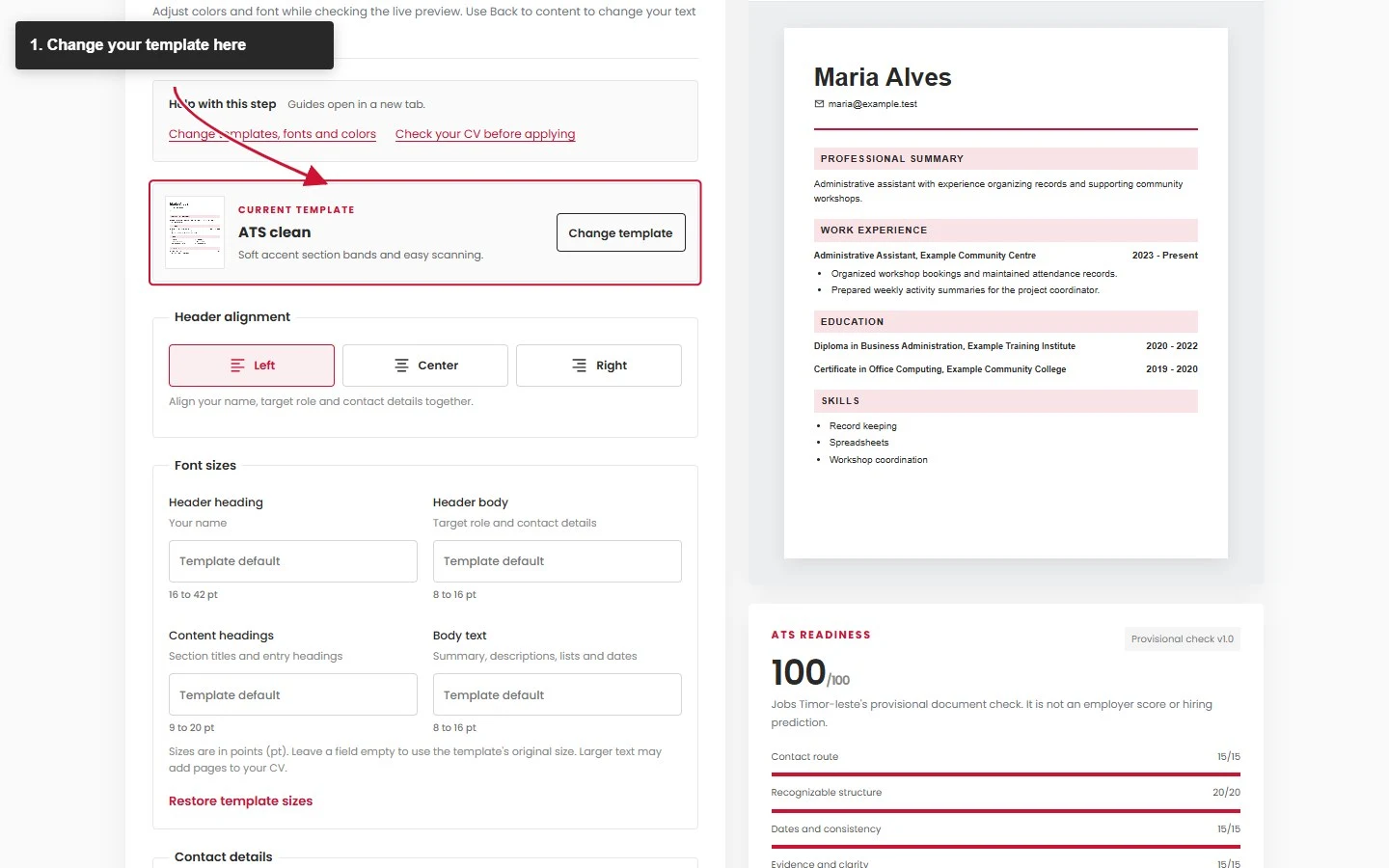
Open Change template under Current template, then select another design. The builder keeps your content. ATS clean is a practical starting point when you want a simple single-column document.
How to review AI suggestions and choose what to keep
2Set fonts and sizes
Choose heading and body fonts separately. Use the size controls for header headings, header body, content headings and body text. Keep the result readable rather than shrinking text to squeeze in more content.
3Adjust colors and contact details
Change the accent, heading text, body text or page color. Use strong contrast. Choose left, center or right alignment for the header. Under Contact details, turn Show contact icons off if you want a plain-text contact line.
4Check the preview and exported file
On a phone or tablet, use Preview to see the result. Check long names, contact links and section breaks. Word may substitute a font that is not installed on the receiving device, so open the downloaded file too.
CareerOneStop recommends a simple single-column layout for ATS reading. When the employer gives a required format, follow it. No template can guarantee that every employer's system will read it perfectly.
CareerOneStop: resume formatting. Recommends simple layouts and consistent typography for readable resumes.
The CV is readable at normal size, the header lines fit, and your contact details remain clear with icons on or off.