
Save your draft, choose the format requested by the employer and check the file before sending it. Downloads are in their own third step, after content and styling.
A reviewed CV with your name and at least one contact method. You will need to sign in or create an account to download.
How do I download a PDF or Word CV for a Timor-Leste job application?
Open Save and download, choose Download PDF or Download Word and follow the account prompt if you are not signed in. If an AI review is offered before you leave Add content, review it or choose Continue without AI. Downloads do not require you to accept AI changes.
1Save your draft
Continue to AI review saves your CV before moving on: to your account when signed in, or in this browser when signed out. You can also use the Save button at the top; signed-out users then see an account prompt. That browser copy is not an account backup and will not follow you to another device.
2Open the third step
Select Save and download in the step navigation, or use Review and download from Style and review. The download controls appear here, separately from Add content and Style and review.
How to review AI suggestions and choose what to keep
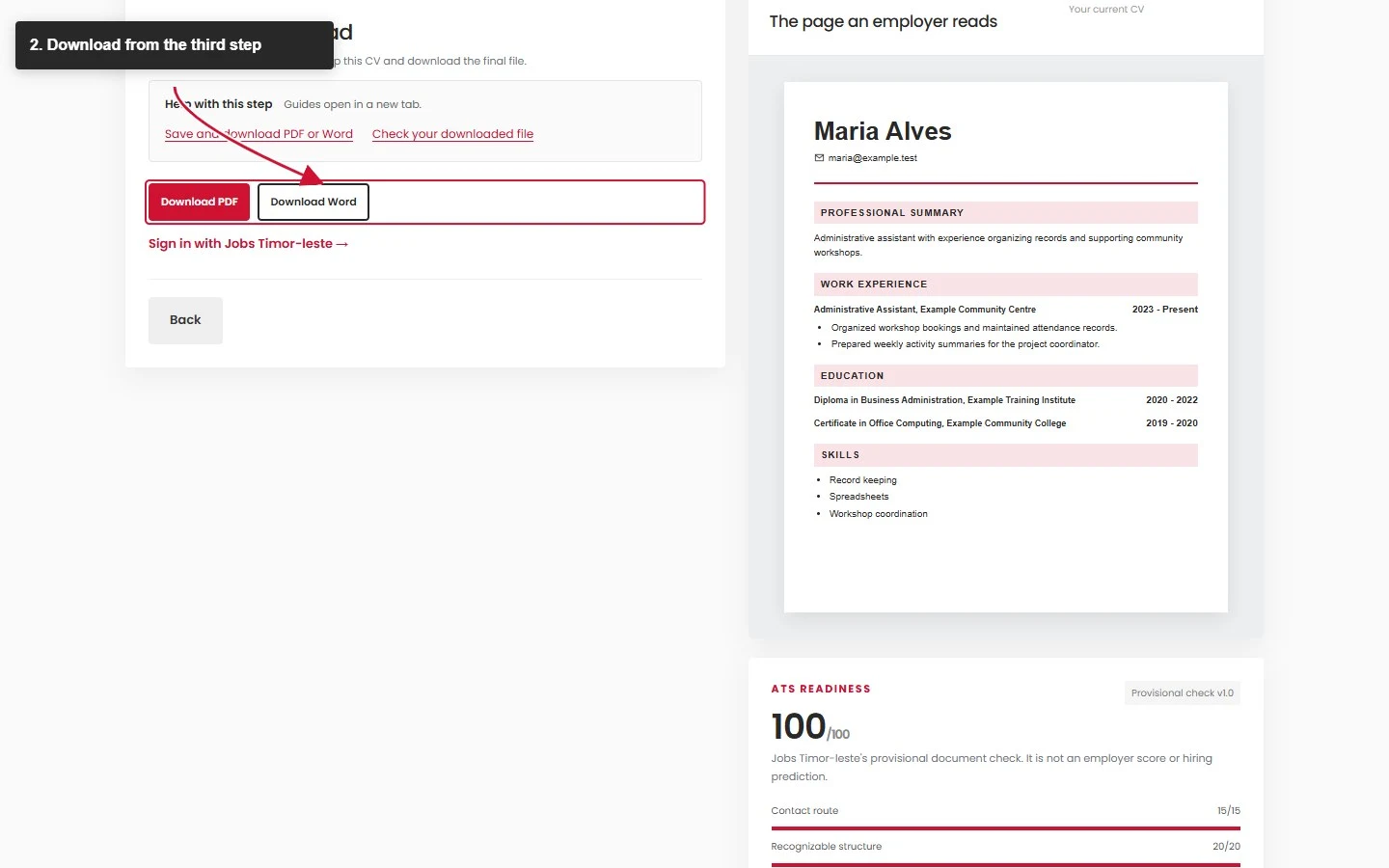
3Choose PDF or Word
Select the format the vacancy asks for. PDF is useful for sharing a fixed page layout; Word gives you an editable DOCX file. If you are signed out, create an account or sign in when prompted so the builder can return you to the download.
4Open and check the downloaded file
Find the file in your browser's downloads. Check headings, bullet lists, contact icons and page breaks. Word may use substitute fonts on another device. If a download does not start, use the download link shown after the file is prepared.
5Submit through the vacancy's application route
Return to the listing on Jobs.tl and follow the employer's instructions. Downloading a CV does not submit a job application. Attach any other requested documents and check the deadline before sending.
Use a clear filename when attaching the file, such as YourName-WebDeveloper-CV.pdf. Keep a separate version for each vacancy if you have tailored the wording.
You have opened the actual file, checked its appearance and selected the format requested by the employer.